As an Amazon Associate, we earn from qualifying purchases. Some links on this site are affiliate links at no extra cost to you. Our recommendations are based on thorough research and editorial judgment.

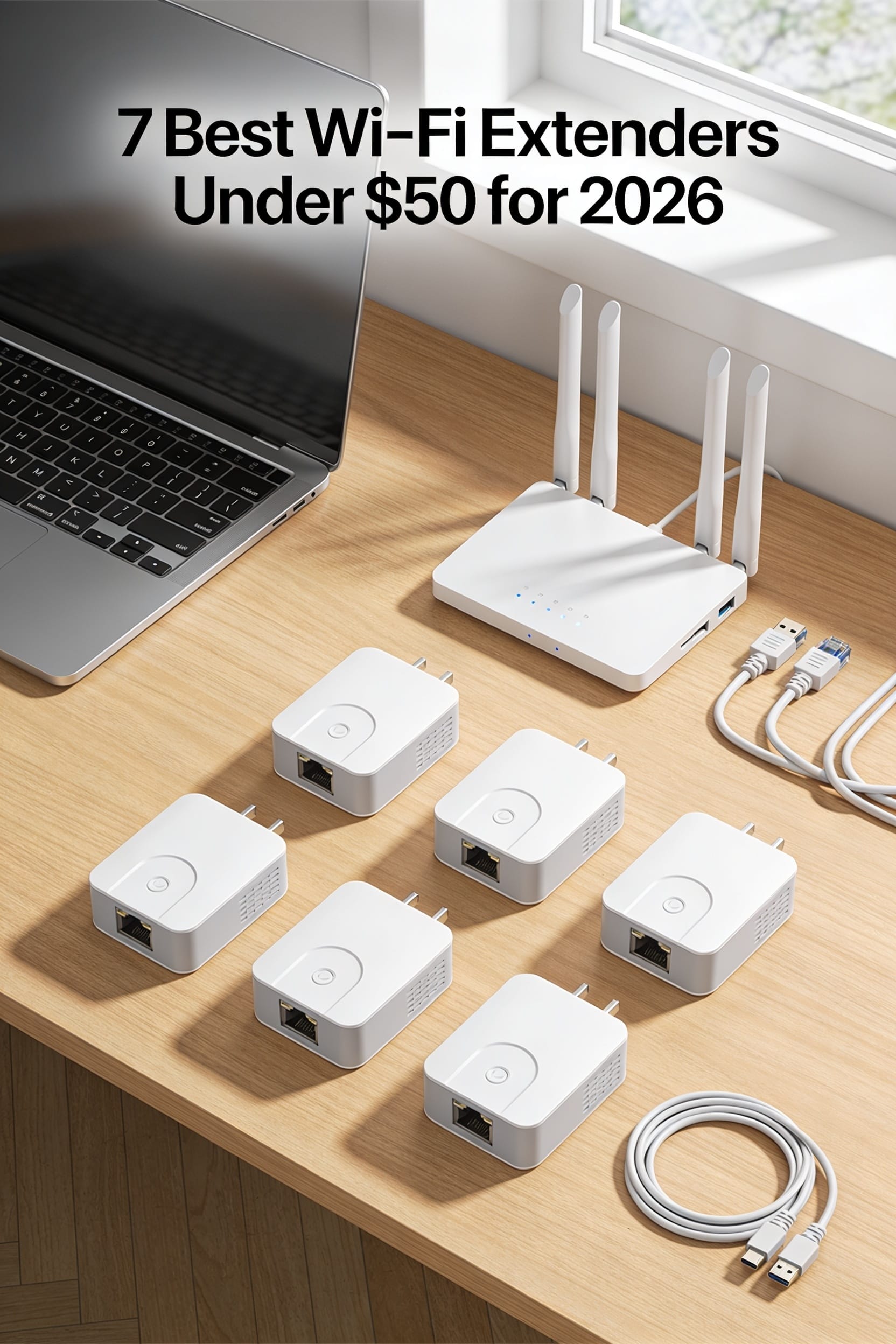
7 Best Wi‑Fi Extenders Under $50 for 2026

You’re on the couch, trying to stream the latest episode, when the picture freezes the moment you step into the hallway, and the Wi‑Fi signal drops to a flickering dot.
The frustration of watching a movie while the router’s reach dies at the kitchen door is all too familiar. A decent extender can turn those dead zones into seamless coverage, but many shoppers fall for the cheapest model without checking dual‑band support, antenna placement, or mesh compatibility, only to end up with slower speeds or constant drop‑outs.
This guide reviews seven Wi‑Fi extenders under $50, selected based on coverage area, throughput, and ease of setup, so you’ll know exactly which unit fits your home layout and router speed by the time you finish reading.
Key Takeaways
If you want faster Wi‑Fi on both 2.4 GHz and 5 GHz devices without breaking the bank, look for a dual‑band extender under $50 that can push around 1200 Mbps in real‑world use. You’ll notice smoother streaming and less interference when each device sticks to its own band. This speed matters for gaming, video calls, and 4K streaming.
For anyone who struggles with weak corners in a house, an extender with adjustable high‑gain or multiple antennas can stretch the signal beyond the optimistic 800‑1,500 sq ft claims. You can point the antennas toward the dead zones and watch the coverage expand. The extra gain often makes the difference between a choppy video and a fluid one.
What makes this Wi‑Fi extender stand out is the built‑in Gigabit Ethernet port, letting you hook up a console or 4K TV for a wired backhaul that sidesteps wireless congestion. You’ll get a rock‑solid connection for gaming or streaming without the usual lag. The port also serves as a reliable bridge for smart home hubs.
You get reliable signal indicators and a simple mobile app or WPS button, so you can place the extender correctly without endless trial‑and‑error. You’ll see the strength bars light up and know instantly if you need to move it a few feet. The setup finishes in minutes, not hours.
The product includes WPA2/WPA3 security, a built‑in firewall, and a solid warranty, protecting your network and giving you peace of mind. You won’t have to worry about unauthorized access or hardware failures. This protection keeps your devices safe for years to come.
| WiFi Extender Booster with Ethernet & Alexa Compatibility | Best Value | Frequency Band: 2.4 GHz (single‑band) | Max Data Rate: 400 Mbps | Ethernet Port: Yes (RJ45) | VIEW LATEST PRICE | Read Our Analysis | |
| 1200 Mbps WiFi Ext Wi0Mbps0120,Mbps DualBand:0 1200Mbps Extender (White) |  | High Speed | Frequency Band: 2.4 GHz / 5 GHz (dual‑band) | Max Data Rate: 1200 Mbps (combined) | Ethernet Port: Yes (RJ45) | VIEW LATEST PRICE | Read Our Analysis |
| TP-Link AC1200 WiFi Extender RE315 – Dual‑Band 1500 sq ft 30 Devices |  | Dual‑Band Pro | Frequency Band: 2.4 GHz / 5 GHz (dual‑band) | Max Data Rate: 1200 Mbps (aggregate) | Ethernet Port: Yes (RJ45) | VIEW LATEST PRICE | Read Our Analysis |
| TP-Link Dual-Band WiFi Extender with Ethernet (RE220) |  | Compact Performer | Frequency Band: 2.4 GHz / 5 GHz (dual‑band) | Max Data Rate: 733 Mbps (combined) | Ethernet Port: Yes (RJ45) | VIEW LATEST PRICE | Read Our Analysis |
| Tenda N300 WiFi Extender with Ethernet Port (R10-BK) |  | Simple Setup | Frequency Band: 2.4 GHz (single‑band) | Max Data Rate: 300 Mbps | Ethernet Port: Yes (RJ45) | VIEW LATEST PRICE | Read Our Analysis |
| D-Link N300 Wi‑Fi Extender (DAP‑1330) |  | Reliable Repeater | Frequency Band: 2.4 GHz (single‑band) | Max Data Rate: 300 Mbps | Ethernet Port: Yes (RJ45) | VIEW LATEST PRICE | Read Our Analysis |
| Wi-Fi Dual Band Range Extender with 4 Antennas |  | Four‑Antenna Power | Frequency Band: 2.4 GHz / 5 GHz (dual‑band) | Max Data Rate: 300 Mbps | Ethernet Port: Yes (RJ45) | VIEW LATEST PRICE | Read Our Analysis |
More Details on Our Top Picks
WiFi Extender Booster with Ethernet & Alexa Compatibility
If you’re tired of dead zones in the kitchen and buffering during video calls, this plug‑in‑wall extender instantly stretches your Wi‑Fi. It delivers a 400 Mbps single‑band 2.4 GHz link that keeps phones, laptops, and smart TVs online. You can switch to repeater mode for a wireless boost or use the Ethernet port to create a hard‑wired hotspot—great for gaming or 4K streaming.
For anyone who wants a simple, affordable upgrade, the device plugs directly into an outlet and starts working right away. It supports 802.11n/b/g, so most devices stay connected without extra setup. Alexa compatibility lets you control the network with your voice.
What makes this Wi‑Fi extender stand out is its ability to push through floors and cement walls, covering over 6,000 sq ft. The built‑in security keeps intruders out, and you get 24/7 lifetime tech support plus a 180‑day return guarantee. You get reliable coverage without breaking the bank.
- Frequency Band:2.4 GHz (single‑band)
- Max Data Rate:400 Mbps
- Ethernet Port:Yes (RJ45)
- Repeater / AP Modes:Repeater & AP
- Device Capacity:Not specified (typical home use)
- Warranty / Support:12‑month warranty, lifetime 24/7 support
- Additional Feature:Alexa voice integration
- Additional Feature:Long‑range obstacle penetration
- Additional Feature:Lifetime 24/7 technical support
1200 Mbps WiFi Ext Wi0Mbps0120,Mbps DualBand:0 1200Mbps Extender (White)
If you’re tired of the living‑room dead zone that drops your streaming, the HparIIeqes A34 1200 Mbps dual‑band extender can fill it in. It plugs into any router and its four adjustable high‑gain antennas spread a 360‑degree signal across up to 9,800 sq ft, turning a corner into a tiny radio tower for your home. You’ll be able to connect up to 60 devices—smartphones, smart TVs, tablets—without choking the bandwidth.
For anyone who wants a hassle‑free upgrade, the setup is a breeze: just use the web interface or press the WPS button and you’re done. It weighs only four ounces, so you won’t even notice it on a shelf. No miracle cure, but under $50 it’s a solid, no‑fuss upgrade.
What makes this dual‑band extender stand out is the combination of speed and range. The 1200 Mbps throughput means you can stream 4K video while gaming on another device, and the four high‑gain antennas keep the signal strong throughout a large floor plan. You get reliable coverage without the need for multiple extenders.
- Frequency Band:2.4 GHz / 5 GHz (dual‑band)
- Max Data Rate:1200 Mbps (combined)
- Ethernet Port:Yes (RJ45)
- Repeater / AP Modes:Repeater (AP via Ethernet)
- Device Capacity:Up to 60 devices
- Warranty / Support:1‑year warranty
- Additional Feature:360‑degree coverage design
- Additional Feature:Four adjustable high‑gain antennas
- Additional Feature:Supports up to 60 devices
TP-Link AC1200 WiFi Extender RE315 – Dual‑Band 1500 sq ft 30 Devices
If you’re tired of Wi‑Fi dead zones that interrupt your Netflix binge, the AC315 can fill those gaps. Its dual‑band radios give you 300 Mbps on 2.4 GHz and up to 867 Mbps on 5 GHz, so 4K streams stay smooth. You’ll notice the difference instantly.
For anyone who wants a simple setup, the One‑Touch WPS button gets you online in seconds. The Adaptive Path Selection automatically hops to the strongest signal, acting like a GPS for your Wi‑Fi. No need to tweak settings manually.
What makes this extender stand out is the built‑in Ethernet port, letting you tether a console or smart TV for a wired‑like experience. You can switch to Access Point mode if you prefer a dedicated network. The Tether app shows signal strength and lets you manage settings from your phone.
You get broader coverage without sacrificing your router’s max speed. The device covers up to 1,500 sq ft and supports around 30 devices, keeping your smart‑home gadgets connected. It’s CE‑certified and operates from 32°F to 104°F, so it handles typical home temperatures.
The AC315 solves weak signal problems by extending the router’s reach and adapting to the best band. Its compact white brick design blends into any room, and the two‑year warranty gives you peace of mind. Your living‑room cat can knock it over, and you’ll still be covered.
- Frequency Band:2.4 GHz / 5 GHz (dual‑band)
- Max Data Rate:1200 Mbps (aggregate)
- Ethernet Port:Yes (RJ45)
- Repeater / AP Modes:Repeater & AP
- Device Capacity:Up to 30‑32 devices
- Warranty / Support:2‑year warranty, manufacturer support
- Additional Feature:Adaptive Path Selection roaming
- Additional Feature:EasyMesh compatibility
- Additional Feature:Tether app management
TP-Link Dual-Band WiFi Extender with Ethernet (RE220)
If you’re tired of dead spots in your small apartment, the RE220 slips into any outlet and instantly widens your Wi‑Fi reach. It lets APS decide whether the 2.4 GHz or 5 GHz band gives you the stronger backhaul, so you get a steadier signal without fiddling with settings. You can connect up to 30 devices, letting phones, tablets, and smart speakers share a 733 Mbps combined rate—though walls will still trim speeds a bit.
For anyone who wants a wired connection for a console or TV, the Ethernet port gives you a reliable link without extra adapters. The OneMesh feature lets you merge the extender into an existing TP‑Link network, so you can expand coverage without a messy setup. It’s lightweight at 0.2 lb and comes with a two‑year warranty plus 24/7 support.
What makes this Wi‑Fi extender stand out is its plug‑in‑and‑play simplicity. You just plug it in, let it do its thing, and watch buffering disappear. It’s cheap, it’s easy, and it does the job.
- Frequency Band:2.4 GHz / 5 GHz (dual‑band)
- Max Data Rate:733 Mbps (combined)
- Ethernet Port:Yes (RJ45)
- Repeater / AP Modes:Repeater & AP
- Device Capacity:Up to 30 devices
- Warranty / Support:2‑year warranty, unlimited 24/7 support
- Additional Feature:OneMesh mesh networking
- Additional Feature:Adaptive Path Selection backhaul
- Additional Feature:USB 2.0 connector
Tenda N300 WiFi Extender with Ethernet Port (R10-BK)
If you’re tired of the Wi‑Fi signal dying in the living room, the one‑tap setup gets you online in seconds. You just plug the extender in, press the WPS button, and watch the LED turn green when it latches onto the existing network. The device works on 2.4 GHz, so you won’t hit the newest 5 GHz speeds, but you still reach up to 300 Mbps—enough for a tablet Netflix stream.
For anyone who wants a wired connection for a smart TV or security camera, the 100 Mbps Ethernet port gives you a reliable link without extra adapters. You can turn a weak spot into a steady hotspot, cutting the buffering you see when watching cooking videos. The AP mode lets you repurpose the unit as a mini‑router if you need a wired backhaul.
What makes this Wi‑Fi extender stand out is its coverage of roughly 800 sq ft, so you can stretch it from the kitchen to the bedroom without buying a second unit. The dust‑proof design means you won’t have to clean it like a ceiling fan. It won’t boost your ISP’s speed, but it cleans up the signal.
You get a three‑year warranty and a 30‑day return guarantee for peace of mind. If you’re okay with a single‑band device and want a cheap, no‑fuss solution, this is a solid pick. Perfect for budget‑savvy households, it delivers the coverage you need.
- Frequency Band:2.4 GHz (single‑band)
- Max Data Rate:300 Mbps
- Ethernet Port:Yes (RJ45)
- Repeater / AP Modes:Repeater & AP
- Device Capacity:Multiple devices (unspecified)
- Warranty / Support:3‑year warranty
- Additional Feature:MU‑MIMO support
- Additional Feature:Dust‑proof housing
- Additional Feature:IPv6 pass‑through
D-Link N300 Wi‑Fi Extender (DAP‑1330)
If you keep losing the Wi‑Fi signal in the basement, the D‑Link N300 Extender (DAP‑1330) can bring the connection right where you need it. It plugs into any wall outlet, so you can place it at the edge of your router’s reach and let it repeat the signal. No messy configuration—just press the WPS button and you’re online in seconds.
For anyone who streams video or browses the web on a 2.4 GHz network, the 300 Mbps speed is more than enough. The RJ45 Ethernet port lets you tether a console or smart TV for a rock‑solid wired link. The unit weighs only 86.9 grams, so it blends into the room like a tiny lamp you barely notice.
What makes this Wi‑Fi extender stand out is the new UI that guides you to the sweet spot. Follow the quick guide and you’ll have a stable connection without hunting for the perfect placement. One‑year warranty and a generous return window give you peace of mind.
You get reliable coverage without breaking the bank. The simple setup and compact design mean you can improve your home network in minutes. Try it, and you’ll wonder why you didn’t get it sooner.
- Frequency Band:2.4 GHz (single‑band)
- Max Data Rate:300 Mbps
- Ethernet Port:Yes (RJ45)
- Repeater / AP Modes:Repeater & AP
- Device Capacity:Multiple devices (unspecified)
- Warranty / Support:1‑year limited warranty
- Additional Feature:Wall‑plug design
- Additional Feature:Push‑button WPS setup
- Additional Feature:New user interface
Wi-Fi Dual Band Range Extender with 4 Antennas
If you’re tired of the Wi‑Fi signal dropping in the hallway, this dual‑band extender gives you a steady connection without a new router. You’ll press the WPS button, plug it in, and the four external antennas start be the signal to every corner of your apartment. The 2.4 GHz + 5 GHz bands cover both low‑ and high‑speed needs, so you can stream and game without interruptions.
For anyone who wants a simple setup, the plug‑and‑play design means you’re up and running in minutes. The RJ45 port lets you hard‑wire a console for the most reliable gaming experience. LED indicators help you find the sweet spot, and the 30‑day return policy gives you peace of mind.
What makes this Wi‑Fi extender stand out is the four‑antenna array that acts like tiny lighthouses, directing data efficiently. You’ll enjoy up to 300 Mbps throughput, which feels like a modest highway—fast enough for most homes, though not a race track. The 802.11ax support smooths gaming sessions and reduces lag.
You get robust coverage without draining your wallet. The compact white (or black) box fits discreetly on a shelf or desk. Its design blends into any décor, so you won’t even notice it’s there.
Perfect for apartment dwellers, this extender solves dead‑zone frustration by amplifying your router’s signal up to 150 feet. You’ll love how it stretches Wi‑Fi to every room, letting you binge‑watch, video‑chat, and work from anywhere in your home. No more buffering, just reliable connectivity.
- Frequency Band:2.4 GHz / 5 GHz (dual‑band)
- Max Data Rate:300 Mbps
- Ethernet Port:Yes (RJ45)
- Repeater / AP Modes:Repeater & AP
- Device Capacity:Multiple devices (unspecified)
- Warranty / Support:Manufacturer warranty (unspecified)
- Additional Feature:Four high‑performance antennas
- Additional Feature:150‑foot range claim
- Additional Feature:Plug‑and‑play installation
Factors to Consider When Choosing a Wi‑Fi Extender Under $50
If you’re sick of the kitchen TV freezing while the kids binge cartoons, a sub‑$50 extender can clear the lag. Think of speed like a highway: you want at least 300 Mbps to keep HD streams smooth, and bandwidth as wide as that highway’s lanes—dual‑band models give you two lanes instead of one, so your phone and laptop don’t fight for space.
For anyone who needs a reliable wired connection for a gaming console or smart TV, an Ethernet port on the extender is a lifesaver; it lets you plug in a cable and bypass Wi‑Fi altogether.
What makes this budget extender stand out is its simple setup—just plug it in, press the WPS button on your router, and you’re online in minutes, no PhD required.
You get solid coverage that reaches the far corners of your home, like a flashlight’s radius expanding into the hallway, without paying a premium.
The device’s compact design fits neatly on a shelf, so you won’t have a bulky box cluttering your living room.
Perfect for renters who can’t run new cables, this extender gives you a stronger signal without drilling holes or breaking lease terms.
Now check the spec sheet: look for 2.4 GHz and 5 GHz bands, at least 300 Mbps per band, and a 10‑foot Ethernet port for hard‑wired devices.
If you want a quick fix for spotty Wi‑Fi, this extender delivers the speed and range you need, all under $50.
Speed And Bandwidth
If you’re tired of Wi‑Fi dead zones turning your streaming into a choppy slideshow, you need an extender that can actually keep up with your internet plan. Look for a model whose maximum aggregate data rate matches your bandwidth—N300 gives about 300 Mbps, while AC1200 tops out at roughly 1,200 Mbps—so your devices won’t be left waiting. Remember, real‑world throughput is usually lower than the listed PHY rate because of wireless overhead and half‑duplex operation, so you won’t see a speed boost from your ISP alone. Dual‑band units (2.4 GHz + 5 GHz) give you more combined bandwidth and less congestion, which feels like adding a second lane to a busy road. If you need wired‑like speeds for a console or smart TV, pick a model with an Ethernet port or AP mode for a wired backhaul. More devices and walls will chop per‑device bandwidth, so match the rated throughput to your peak concurrent demand. A solid 300‑plus Mbps dual‑band extender under $50 usually does the trick.
Coverage Area Capability
If you’re tired of losing signal in the kitchen while you stream in the bedroom, start by matching the extender’s claimed coverage to your actual floor plan. The numbers—800 sq ft, 1,500 sq ft, even 6,000 sq ft—look good on paper, but concrete walls and metal studs can shave 30‑70 % off the range.
For anyone who needs reliable Wi‑Fi on multiple floors, the 2.4 GHz band behaves like a lazy river, slipping through floors with ease. In contrast, 5 GHz is a sprinter that stalls at walls, so you’ll want a model that offers both bands.
What makes this extender stand out is the inclusion of multiple external antennas or MIMO technology. Those extra “arms” reach into corners and keep several devices happy at once.
You get whole‑home roaming without replacing your router if you pick a mesh‑compatible model. Simple plug‑ins work best for patching a single dead spot, not for covering an entire house.
Perfect for families with many devices, this extender keeps your phones, laptops, and smart speakers connected throughout the home.
Dual‑Band Versus Single‑Band
If you’re tired of the kitchen‑to‑bedroom lag when you stream a movie, a dual‑band extender can fix that. It uses 2.4 GHz for range and 5 GHz for speed, letting the slow‑moving devices stay on the longer‑reach band while your high‑def video hops onto the fast lane. You’ll notice smoother playback and fewer interruptions.
For anyone who juggles phones, laptops, and a gaming console, the extra headroom of a dual‑band unit is a lifesaver. The 5 GHz channel handles bandwidth‑hungry tasks, while the 2.4 GHz side still gets through walls with ease. Your network stays less crowded and more reliable.
What makes this dual‑band extender stand out is its future‑proof design. Even if you upgrade to a 4K TV or a smart home hub, the two bands give you flexibility without a major hardware swap. You won’t need a new booster every year.
You get solid coverage without breaking the bank. Under $50 you can still find a decent single‑band booster for basic browsing, but the dual‑band model feels more ready for tomorrow’s devices. It’s like buying a bike with a spare tire—extra security when you need it.
The dual‑band solution solves lag by splitting traffic across two frequencies. Your streaming, gaming, and video calls each get the bandwidth they deserve. You’ll enjoy a smoother, more responsive home network.
Ethernet Port Availability
If you’re tired of laggy streams when you plug a console into a Wi‑Fi extender, an Ethernet port is the fix you need. It gives your device a wired backhaul that cuts latency and steadies the signal, so your game feels smooth instead of bumpy. Look for a 100 Mbps Fast Ethernet RJ45 port; a Gigabit (1000 Mbps) port is a nice upgrade if you stream 4K or run a desktop PC.
For anyone who wants a reliable hotspot, use the extender in Access Point mode and feed it a solid cable. That way the Wi‑Fi you create keeps the full wired speed, and you won’t notice any slowdown. Make sure the unit supports automatic MDI/MDIX so you don’t need a crossover cable, and consider PoE if you’d like to power it over the same line.
What makes this Wi‑Fi extender stand out is its simplicity: one port means one wired device, unless you add a switch. Plan your device count and bandwidth needs ahead of time, and you’ll avoid any surprises later. This straightforward setup lets you enjoy a fast, stable connection without extra hassle.
Setup Simplicity Options
If you’re tired of wrestling with a router’s web page, a one‑touch WPS button on an extender can save you minutes of frustration. Just press it and you’ll be online in under a minute, no browser needed. The setup feels almost instant.
For anyone who prefers a guided experience, a mobile app with step‑by‑step instructions and a progress bar works like a GPS for Wi‑Fi. It keeps you from wandering in the dark and shows you exactly where to place the device. You’ll know when you’ve hit the sweet spot.
What makes this extender stand out is the LED signal indicator that flashes to show signal strength. You can spot the optimal location without trial‑and‑error, just like a traffic light tells you when to go. This visual cue is a real time‑saver.
You get the flexibility to switch between Repeater and Access Point mode during installation, and you can pick 2.4 GHz or 5 GHz without hunting through hidden menus. This means you won’t have to dive into complex settings later. It’s straightforward and user‑friendly.
Perfect for non‑tech‑savvy households, this extender lets you set up your home network with confidence. The combination of a simple button, intuitive app, and clear LEDs makes the whole process smooth. You’ll be online fast and stay connected.
Compatibility With Devices
If you’ve ever tried to stream a movie and got stuck in a buffering limbo, you know the extender must speak the same Wi‑Fi language as your router and gadgets. For anyone who uses a 5 GHz‑capable phone, a 2.4 GHz‑only extender feels like a dial‑up line. What makes this extender stand out is its support for the same wireless standards—802.11n, ac, or ax—as your router, so you won’t be stuck in an older lane. You get smooth streaming without the lag, thanks to dual‑band capability that lets you keep laptops on low‑interference 5 GHz while smart‑home devices stay on 2.4 GHz. The unit also offers an Ethernet port and AP/bridge mode, which are lifesavers for a smart TV, game console, or IP camera. Perfect for busy households, this extender can handle 20‑60 simultaneous clients, avoiding a crowded coffee‑shop vibe in your living room. Look for clear capacity specs, but treat them as a rough guide.
Security Features Included
If you’re shopping for a $50 Wi‑Fi extender, make sure it supports WPA2 or the newer WPA3—think of it as a strong front‑door lock instead of a flimsy latch. You’ll notice that a weak lock lets strangers wander in, and the same applies to Wi‑Fi security. Look for a built‑in firewall or support for WPA2‑Enterprise and 802.1X; they act like a security guard at the gate. Guest network isolation or a separate SSID keeps your smart fridge from chatting with your laptop. Firmware updates are your monthly oil changes—vendor‑signed patches fix vulnerabilities fast. Strong, unique admin passwords, HTTPS web management, and the option to disable remote control round out the defense. Cheaper models may skimp on some of these, but don’t let the price fool you; a solid security suite is worth the extra few dollars.
Warranty And Support Length
If you’re tired of a cheap extender that drops the signal just when you need it most, a solid warranty and support plan can save you a lot of hassle. Look for at least a six‑month return or exchange window and a minimum twelve‑month product warranty; that covers early failures and defects.
For anyone who wants peace of mind, check that technical support is available 24/7 via phone, chat, or email, so you won’t be stuck troubleshooting alone when setup hiccups appear.
What makes this extender stand out is its firmware update schedule—aim for security and bug fixes that last one to two years so your network stays safe.
You get a clear RMA or replacement turnaround time without endless waiting; a two‑to‑six‑week window lets you plan for the period you’ll be without Wi‑Fi.
The seller should spell out exactly what the warranty covers—hardware, power supply, and shipping—and whether you need a proof of purchase.
Perfect for DIY‑savvy shoppers, this approach lets you replace a busted pipe before it floods your home network.
Keep an eye on the support channels; a quick chat or phone call can be a lifesaver when you’re stuck in a dead zone.
Short and sweet: read the fine print.
Frequently Asked Questions
Can I Use a Wi‑Fi Extender With a Mesh Network?
You can definitely pair a Wi‑Fi extender with a mesh network, though it’s not always the smoothest dance. I’m sure you’ve noticed dead zones acting like potholes on a road—an extender can fill those gaps, but mesh nodes already spread the signal like a well‑laid carpet. All right, just plug the extender into a strong node, set it to the same SSID, and you’ll get extra coverage. Now, expect a tiny latency bump; it’s like adding a side street to a highway. I mean, it works, but if you want seamless handoff, pure mesh usually wins. Obviously, exact performance varies, so test a few spots before committing.
Do Extenders Support WPA3 Encryption?
You can find extenders that support WPA3, but not every cheap model has it. I’m sure you’ve noticed older gear clinging to WPA2 like a stubborn sock. All right, look for “WPA3‑compatible” on the spec sheet; it means the device encrypts traffic with the newest standard, just like a lock that changes its code daily. Now, if you’re under $50, you’ll often see a mix—some have WPA3, some only WPA2. I mean, it’s a bit like buying a bike: the cheap ones may lack the newest gears. Obviously, I can’t guarantee every unit, so double‑check the manufacturer’s page before you buy. If you’re unsure, pick a model that lists both WPA2 and WPA3 for future‑proofing.
Will the Extender Work With Isp‑Provided Routers?
Sure, it’ll work with most ISP‑provided routers. I’m sure you’ve noticed dead zones and buffering, and you want a quick fix. All right, modern extenders speak standard Wi‑Fi protocols, so they sync with the router’s SSID and password—no special firmware needed. Now, if your ISP uses a custom brand, just double‑check the extender’s compatibility list; I’m not a mind‑reader. Obviously, WPA3 support varies, but basic connectivity is almost guaranteed.
How Many Devices Can a $50 Extender Handle Simultaneously?
You’ll usually get about 8‑12 devices on a $50 extender before you notice lag. I’m sure you’ve noticed that a crowded coffee shop Wi‑Fi feels like a packed elevator—each extra device adds weight. All right, the exact number depends on the model’s antenna count and bandwidth, so I can’t promise 12 for every unit. Now, if you’re streaming video and checking email at once, you might hit the limit sooner. I mean, it’s like trying to fit a sofa through a narrow hallway—sometimes you just can’t squeeze everything in.
Is a Firmware Update Required for Optimal Performance?
You’ll usually want to run a firmware update for peak performance, because manufacturers patch bugs and boost stability just like a mechanic tunes a car. All right, if the extender’s web UI shows a “Check for updates” button, click it; otherwise, grab the latest file from the brand’s support page and flash it. Now, I mean, you’re not forced to update, but skipping it can leave you with slower speeds, like a bike with a flat tire. Obviously, the exact steps differ per model, so follow the instructions that come with your device. If you’re unsure, a quick search for “[model] firmware update” will clear things up.