As an Amazon Associate, we earn from qualifying purchases. Some links on this site are affiliate links at no extra cost to you. Our recommendations are based on thorough research and editorial judgment.

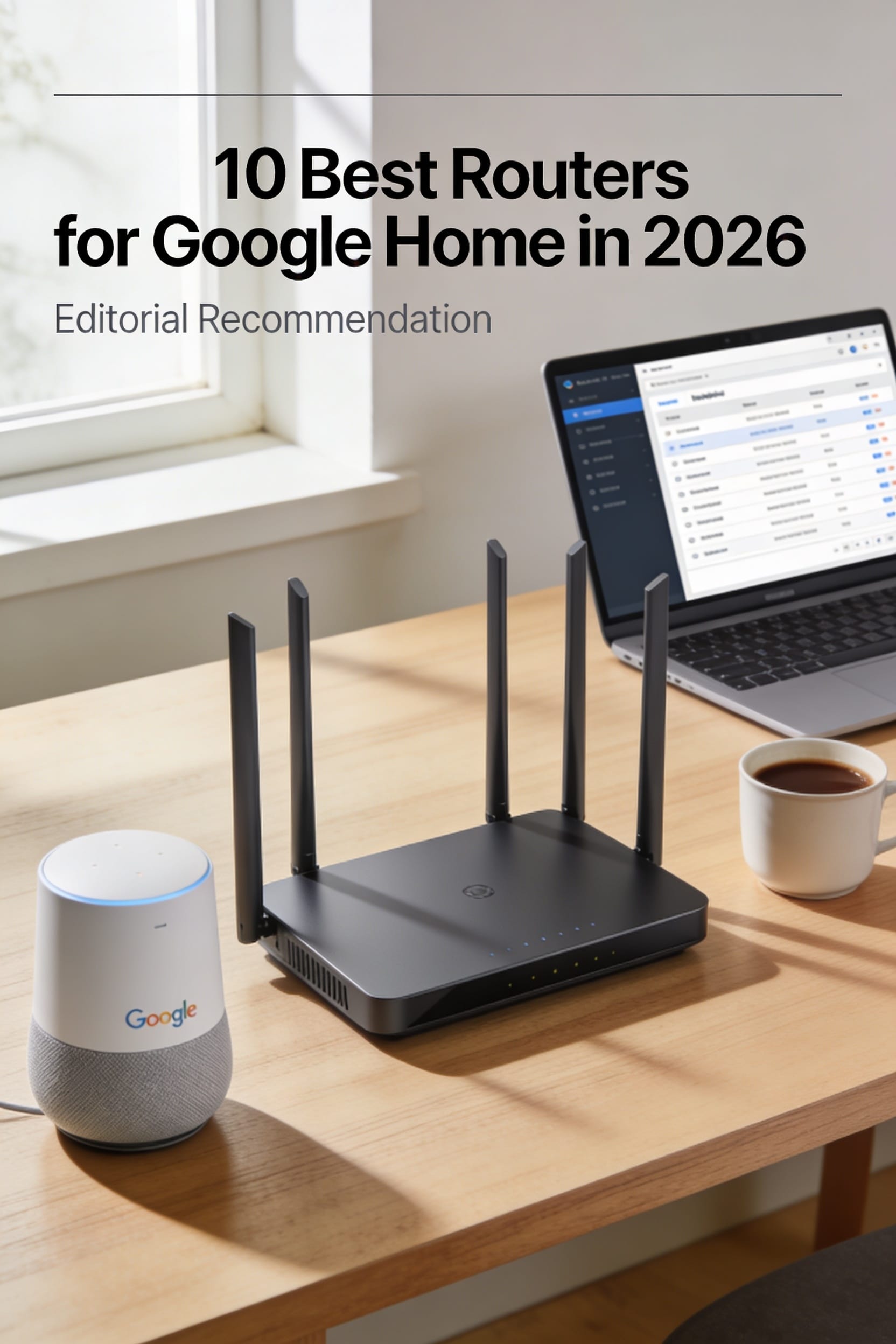
10 Best Routers for Google Home in 2026

You’re standing in the kitchen, watching the lights flicker as your Google Home stutters, “I’m sorry, I didn’t catch that,” while the family movie streams in the living room.
The frustration spikes when a video call drops the moment you step into the hallway, and you realize the Wi‑Fi isn’t keeping up with the dozens of smart devices scattered across the house.
A good router delivers consistent coverage, handles multiple simultaneous connections, and stays secure, whereas many buyers pick based on price alone, ignore the importance of mesh capability, or overlook future‑proof standards like Wi‑Fi 7.
This guide reviews ten routers that excel in 2026, selected using range, device capacity, and security as criteria, and by the end you’ll know which model fits your home layout, budget, and performance needs.
Key Takeaways
If you want your Google Home devices to stay steady when the whole house is streaming, pick a router that offers tri‑band Wi‑Fi 6/7 with a dedicated backhaul. This setup lets your smart speakers keep a solid connection even when the kids are gaming and the TV is buffering. You’ll notice fewer drop‑outs and smoother voice responses.
For anyone who lives in a multi‑story home with thick walls, coverage matters more than the number of bands. Choose a model whose range meets or exceeds your square footage, adding a safety margin for those tricky corners. That way, every room gets a strong signal without you having to hunt for dead zones.
What makes this router type stand out is its ability to juggle at least 200 simultaneous devices. Your future smart‑home gadgets—lights, cameras, thermostats—won’t choke the network, and you’ll have plenty of headroom for new additions. No need to rethink your setup as the ecosystem grows.
You get built‑in WPA3 security and automatic firmware updates without sacrificing ease of use. Features like HomeShield or AiProtection keep your network safe while you focus on daily tasks. Parental controls are just a tap away, giving you peace of mind.
The mesh‑compatible design and roaming protocols (802.11k/v/r) solve the hassle of signal handoff between Google Home units. As you move from the kitchen to the bedroom, the router smoothly transfers your connection, so voice commands stay reliable. This eliminates the frustration of “no response” moments.
| TP-Link Archer A54 AC1200 Dual‑Band Wi‑Fi Router |  | Budget-Friendly Pick | Wi‑Fi Generation: Wi‑Fi 5 (802.11ac) | Dual‑Band Support: Yes (2.4 GHz & 5 GHz) | Ethernet Ports: 4 × 10/100 Mbps LAN + 1 × WAN | VIEW LATEST PRICE | Read Our Analysis |
| Google Nest Wifi 2-Pack Mesh Wi-Fi System |  | Best Overall | Wi‑Fi Generation: Wi‑Fi 5 (802.11ac) | Dual‑Band Support: Yes (2.4 GHz & 5 GHz) | Ethernet Ports: 1 × Ethernet (router) + 1 × Ethernet (point) | VIEW LATEST PRICE | Read Our Analysis |
| TP-Link BE6500 WiFi 7 Router (BE400) – Dual 2.5Gbps USB 3.0 2,400 sq ft 90 Devices Quad‑Core HomeShield Private IoT Free Support |  | Future‑Ready Powerhouse | Wi‑Fi Generation: Wi‑Fi 7 (802.11be) | Dual‑Band Support: Yes (2.4 GHz & 5 GHz) | Ethernet Ports: 1 × 2.5 Gbps WAN/LAN, 1 × 2.5 Gbps LAN, 3 × 1 Gbps LAN | VIEW LATEST PRICE | Read Our Analysis |
| Google Nest Wi‑Fi AC2200 Mesh System 2200 sq ft Coverage (1 Pack) |  | Compact Coverage | Wi‑Fi Generation: Wi‑Fi 5 (802.11ac) | Dual‑Band Support: Yes (2.4 GHz & 5 GHz) | Ethernet Ports: 1 × Ethernet (router) | VIEW LATEST PRICE | Read Our Analysis |
| NETGEAR WiFi 6 Router R6700AX – AX1800 1500 sq ft 20 devices |  | Mid‑Range Performer | Wi‑Fi Generation: Wi‑Fi 6 (802.11ax) | Dual‑Band Support: Yes (2.4 GHz & 5 GHz) | Ethernet Ports: 4 × Gigabit LAN + 1 × WAN | VIEW LATEST PRICE | Read Our Analysis |
| ASUS RT-AX1800S Dual‑Band Wi‑Fi 6 Router with Security and AiMesh |  | Smart‑Home Ready | Wi‑Fi Generation: Wi‑Fi 6 (802.11ax) | Dual‑Band Support: Yes (2.4 GHz & 5 GHz) | Ethernet Ports: 4 × Gigabit LAN + 1 × WAN | VIEW LATEST PRICE | Read Our Analysis |
| Google WiFi AC1200 Mesh Router Bundle (3-Pack) |  | Mesh Value | Wi‑Fi Generation: Wi‑Fi 5 (802.11ac) | Dual‑Band Support: Yes (2.4 GHz & 5 GHz) | Ethernet Ports: 3 × Gigabit LAN (each) | VIEW LATEST PRICE | Read Our Analysis |
| Google Wi‑Fi AC1200 Mesh Router 1500 sq ft 1 Pack |  | Easy Setup | Wi‑Fi Generation: Wi‑Fi 5 (802.11ac) | Dual‑Band Support: Yes (2.4 GHz & 5 GHz) | Ethernet Ports: 1 × Gigabit LAN | VIEW LATEST PRICE | Read Our Analysis |
| Google WiFi System 1-Pack Router (Renewed) |  | Renewed Reliability | Wi‑Fi Generation: Wi‑Fi 5 (802.11ac) | Dual‑Band Support: Yes (2.4 GHz & 5 GHz) | Ethernet Ports: 1 × Gigabit LAN | VIEW LATEST PRICE | Read Our Analysis |
| NETGEAR Nighthawk WiFi 7 Router (RS90) – 3.6 Gbps 2,000 sq ft 50 Devices |  | High‑Performance Pro | Wi‑Fi Generation: Wi‑Fi 7 (802.11be) | Dual‑Band Support: Yes (2.4 GHz & 5 GHz) | Ethernet Ports: 4 × 1 Gbps LAN + 1 × 2.5 Gbps WAN | VIEW LATEST PRICE | Read Our Analysis |
More Details on Our Top Picks
TP-Link Archer A54 AC1200 Dual‑Band Wi‑Fi Router
If you’re tired of dead spots in your apartment, the Archer A54 fills those gaps without breaking the bank. Its dual‑band Wi‑Fi gives you a fast 5 GHz lane up to 867 Mbps and a reliable 2.4 GHz lane around 300 Mbps, so streaming stays smooth even when the house is full. Four external antennas beamform toward your devices, acting like a flashlight that follows your phone.
For anyone who wants solid coverage in a typical living‑room‑and‑kitchen layout, the router reaches roughly 1,000 sq ft. The Fast Ethernet ports (10/100 Mbps) keep wired gadgets humming, so you won’t have to sacrifice speed for stability.
What makes this router stand out is EasyMesh support, letting you add nodes later like Lego bricks for Wi‑Fi. The Tether app lets you toggle guest Wi‑Fi, set parental controls, and enable a WPA3‑compatible firewall—all without a Ph.D.
You get reliable performance without the premium price tag. The Archer A54 is perfect for families that stream movies, game online, and need a simple, affordable solution for everyday connectivity.
- Wi‑Fi Generation:Wi‑Fi 5 (802.11ac)
- Dual‑Band Support:Yes (2.4 GHz & 5 GHz)
- Ethernet Ports:4 × 10/100 Mbps LAN + 1 × WAN
- Security Protocols:WPA2/WPA3 (enterprise optional)
- Mesh Compatibility:EasyMesh compatible
- App Management:TP‑Link Tether app
- Additional Feature:Four fixed external antennas
- Additional Feature:EasyMesh compatible
- Additional Feature:2‑year manufacturer warranty
Google Nest Wifi 2-Pack Mesh Wi-Fi System
If you’re tired of the Wi‑Fi cutting out during a 4K movie, the Nest Wifi 2‑pack smooths things out. You’ll plug the router into your modem, then place the point where the signal fades, and you’ll cover up to 4,400 sq ft—roughly the size of a two‑story house. All right, you can connect about 200 devices, from phones to gaming consoles, without the lag you hate. I mean, the dual‑band 5 GHz and three internal antennas keep each stream crisp, even when you’re juggling Zoom calls and Netflix. Obviously, the system auto‑updates, so you stay secure without lifting a finger. You’ll also get a guest network, device prioritization, and parental controls via the Nest app or Google Assistant—like having a friendly, tech‑savvy neighbor watching over your Wi‑Fi. I’m sure you’ve noticed that the white units blend into any décor, and the 15 W adapters are modestly sized. The 1‑year warranty covers defects, and the included Ethernet cable makes wired connections a breeze. If you’re already in the Google ecosystem, this mesh feels like a natural extension, though I admit I’m biased toward products that talk to my smart speaker.
- Wi‑Fi Generation:Wi‑Fi 5 (802.11ac)
- Dual‑Band Support:Yes (2.4 GHz & 5 GHz)
- Ethernet Ports:1 × Ethernet (router) + 1 × Ethernet (point)
- Security Protocols:WPA2‑Enterprise, WPA3 (high level)
- Mesh Compatibility:Google Nest Wi‑Fi mesh (router + point)
- App Management:Google Home / Nest app
- Additional Feature:4,400 sq ft coverage
- Additional Feature:4K streaming support
- Additional Feature:15 W power adapter
TP-Link BE6500 WiFi 7 Router (BE400) – Dual 2.5Gbps USB 3.0 2,400 sq ft 90 Devices Quad‑Core HomeShield Private IoT Free Support
If you’re tired of Wi‑Fi dead zones in a 2,400‑sq‑ft home, the Archer BE400’s quad‑core CPU and 1 GB RAM keep every device humming smoothly. Its six high‑performance antennas beam‑form like a flashlight, so you get solid coverage for up to 90 gadgets. You’ll notice the difference instantly.
For anyone who streams 4K video or games online, the dual‑band Wi‑Fi 7 delivers up to 6.5 Gbps, and the 2.5 Gbps WAN/LAN ports act like a super‑fast highway. The USB 3.0 port lets you back up files in a snap. No lag.
What makes this router stand out is the built‑in HomeShield, which gives you parental controls and real‑time IoT security without extra software. The Tether app makes setup a breeze, and you can mesh with EasyMesh routers if you need extra reach. You’ll appreciate the steady connection when a smart speaker drops out.
You get a VPN client and server so you can browse securely from the couch. The free two‑year warranty and TP‑Link’s expert support keep you covered if anything goes sideways. This is the reliable, future‑ready solution you’ve been looking for.
- Wi‑Fi Generation:Wi‑Fi 7 (802.11be)
- Dual‑Band Support:Yes (2.4 GHz & 5 GHz)
- Ethernet Ports:1 × 2.5 Gbps WAN/LAN, 1 × 2.5 Gbps LAN, 3 × 1 Gbps LAN
- Security Protocols:WPA2/WPA3, WPA2‑Enterprise
- Mesh Compatibility:EasyMesh compatible
- App Management:TP‑Link Tether app / web UI
- Additional Feature:Six high‑performance antennas
- Additional Feature:2.5 Gbps multi‑gig ports
- Additional Feature:Private IoT SSID
Google Nest Wi‑Fi AC2200 Mesh System 2200 sq ft Coverage (1 Pack)
If you’re tired of your stream stuttering in the middle of a movie, the Nest Wi‑Fi’s 2,200 sq ft of coverage keeps the signal strong throughout your home. You’ll notice the dual‑band 2.4 GHz/5 GHz radios handling up to 2,200 Mbps, so multiple devices can stay online without fighting each other. One Ethernet port gives you a reliable wired connection for a console or smart TV.
For anyone who wants a tidy setup, the router’s internal antennas stay hidden, looking like a sleek white coffee table that blends with any décor. You can use voice commands to manage it, and it works with Alexa for hands‑free control. The Linux‑based firmware brings automatic updates and WPA3 security, keeping your network safe without you lifting a finger.
What makes this mesh system stand out is its ability to fill dead zones without a cluttered mess of cables. You’ll get a consistent signal in upstairs rooms, the garage, or the backyard, so you never have to ask, “Why is the Wi‑Fi slow here?” The design is simple enough for anyone to set up, yet powerful enough for a busy household.
You get reliable coverage without sacrificing style, and the single Ethernet port is just right for the one device that truly needs a hard‑wired link. The automatic updates work like a self‑cleaning oven, keeping the system fresh and secure over time.
- Wi‑Fi Generation:Wi‑Fi 5 (802.11ac)
- Dual‑Band Support:Yes (2.4 GHz & 5 GHz)
- Ethernet Ports:1 × Ethernet (router)
- Security Protocols:WPA2, WPA3
- Mesh Compatibility:Google Nest Wi‑Fi mesh (single unit)
- App Management:Google Home / Nest app
- Additional Feature:Sustainable material construction
- Additional Feature:Voice‑control integration
- Additional Feature:1 lb weight
NETGEAR WiFi 6 Router R6700AX – AX1800 1500 sq ft 20 devices
If you’re tired of dead spots while streaming movies, the four‑antenna design spreads Wi‑Fi 6 signal across about 1,500 sq ft, keeping up to 20 devices online. You’ll notice smoother playback on smart TVs and gaming consoles because the dual‑core 880 MHz processor handles multiple streams without hiccups. The setup is quick with the Nighthawk app—just plug it in and follow a few prompts.
For anyone who runs a smart‑home hub, the four Gigabit Ethernet ports give you wired speed for security cameras and streaming boxes. You also get WPA3 security and NETGEAR Armor, so your network stays protected against common threats. It’s a solid, budget‑friendly choice for a house filled with Google Home devices.
What makes this router stand out is its ability to deliver up to 1.8 Gbps on a dual‑band 2.4 GHz/5 GHz combo. You won’t need to sacrifice performance for price, and the four‑stream architecture helps fill coverage gaps. The device feels reliable, and you’ll appreciate the consistent connection throughout your home.
- Wi‑Fi Generation:Wi‑Fi 6 (802.11ax)
- Dual‑Band Support:Yes (2.4 GHz & 5 GHz)
- Ethernet Ports:4 × Gigabit LAN + 1 × WAN
- Security Protocols:WPA2, WPA3
- Mesh Compatibility:No native mesh (stand‑alone)
- App Management:NETGEAR Nighthawk app / web UI
- Additional Feature:Dual‑core 880 MHz CPU
- Additional Feature:NETGEAR Armor security
- Additional Feature:4 Gigabit Ethernet ports
ASUS RT-AX1800S Dual‑Band Wi‑Fi 6 Router with Security and AiMesh
If you’re tired of smart‑light flickers and Wi‑Fi hiccups, the dual‑band Wi‑Fi 6 engine keeps your devices stable. You’ll notice the 1800 Mbps aggregate speed, even though walls and traffic can trim the numbers. Four retractable antennas act like a lighthouse, spreading the signal through most rooms.
For anyone who runs consoles, PCs, and a Google Home hub, the dual‑core processor and 256 MB RAM handle traffic without choking. Four gigabit LAN ports give you wired speed where you need it most.
What makes this router stand out is the built‑in VPN and Trend Micro AiProtection, which protect your network without a subscription fee. You get strong security that works in the background.
You get easy mesh expansion with AiMesh, so adding another router turns your home into a seamless network. The app and web GUI guide you through setup in minutes, and the push‑button WPS saves you from typing passwords.
Perfect for a Google Home‑filled house, this black box delivers solid speed, reliable coverage, and straightforward mesh capabilities. It’s a practical choice for anyone who wants a hassle‑free smart‑home connection.
- Wi‑Fi Generation:Wi‑Fi 6 (802.11ax)
- Dual‑Band Support:Yes (2.4 GHz & 5 GHz)
- Ethernet Ports:4 × Gigabit LAN + 1 × WAN
- Security Protocols:WPA2‑Enterprise, WPA3
- Mesh Compatibility:AiMesh compatible
- App Management:ASUS Router app / web UI
- Additional Feature:AiProtection Classic (Trend Micro)
- Additional Feature:256 MB RAM
- Additional Feature:4 external retractable antennas
Google WiFi AC1200 Mesh Router Bundle (3-Pack)
If you’re tired of buffering 4K movies because of Wi‑Fi dead zones, the three‑pack mesh system blankets up to 4,500 sq ft with a single, seamless network. You’ll get about 1,200 Mbps total speed and 867 Mbps upstream, which is plenty for streaming, gaming, and video calls. The units talk to each other automatically, so you never have to hop between “strong” and “weak” signals.
For anyone who wants a hassle‑free setup, the Google Home app walks you through installation in minutes. You can spin up a guest network, add parental controls, and monitor traffic without digging through complicated menus. The built‑in WPA3 security keeps your data safe, and the 1 Gbps LAN ports handle a desktop or gaming console with ease.
What makes this Wi‑Fi 5 (802.11ac) dual‑band system stand out is its plug‑and‑play simplicity. You just plug in the three minimalist units, and they start working together right away. No tangled cables, no technical jargon—just reliable coverage for every room.
You get a one‑year warranty and a 30‑day return window, so you’re covered if the mesh doesn’t reach that oddly shaped attic. This safety net lets you try it risk‑free. If it works, you’ll enjoy a low‑maintenance, whole‑home Wi‑Fi upgrade.
- Wi‑Fi Generation:Wi‑Fi 5 (802.11ac)
- Dual‑Band Support:Yes (2.4 GHz & 5 GHz)
- Ethernet Ports:3 × Gigabit LAN (each)
- Security Protocols:WPA3
- Mesh Compatibility:Google Wi‑Fi mesh (3‑pack)
- App Management:Google Home app
- Additional Feature:4,500 sq ft coverage
- Additional Feature:3‑unit mesh network
- Additional Feature:1 Gbps LAN port
Google Wi‑Fi AC1200 Mesh Router 1500 sq ft 1 Pack
If you’ve been frustrated by spotty Wi‑Fi in the kitchen or slow uploads while streaming, the Google Wi‑Fi AC1200 Mesh Router can clear that up. It spreads a solid signal across a medium‑size home, so you won’t have to hunt for a better spot when you’re watching a movie. The unit is snow‑white, fits neatly on a shelf, and weighs only about 340 g.
For anyone who wants a hassle‑free setup, plug the router into any modem and use the Google Home app to get it running in minutes. The single Gigabit Ethernet port lets you connect a wired device without extra adapters. Dual‑band radios at 2.4 GHz and 5 GHz deliver up to 1 Gbps LAN speeds, though real‑world performance will vary.
What makes this mesh system stand out is its ability to expand effortlessly. You can add Nest Wi‑Fi points later if you need coverage beyond 1,500 sq ft, turning your home into a seamless network. Think of each new point as a Lego brick that snaps into place, keeping the whole system stable and fast.
You get strong WPA3 security without having to tinker with settings, and Google pushes firmware updates automatically. Guest Wi‑Fi, device prioritization, and parental filters are all controlled from the app, so you stay in charge of who’s online and what they can access.
The Google Wi‑Fi AC1200 Mesh Router solves dead‑zone problems by spreading a reliable signal throughout your home. It’s a plug‑and‑play solution that works for families, remote workers, and anyone who wants consistent internet without a steep learning curve.
- Wi‑Fi Generation:Wi‑Fi 5 (802.11ac)
- Dual‑Band Support:Yes (2.4 GHz & 5 GHz)
- Ethernet Ports:1 × Gigabit LAN
- Security Protocols:WPA3
- Mesh Compatibility:Google Wi‑Fi mesh (single point)
- App Management:Google Home app
- Additional Feature:1 Gigabit Ethernet port
- Additional Feature:2 internal antennas
- Additional Feature:1‑year warranty
Google WiFi System 1-Pack Router (Renewed)
If you’re tired of dead zones in a small apartment, this white dual‑band router spreads Wi‑Fi up to 1,500 sq ft, covering a single floor comfortably. It runs Wi‑Fi 5 (802.11ac) with two beamforming antennas, so you’ll see fewer drop‑outs. The Google Home app lets you set device priorities, pause kids’ screens, or launch WPS with a tap.
For anyone who wants a simple plug‑and‑play setup, the 1 Gbps LAN port and 1,200 Mbps upstream rate keep streaming smooth. You’ll need a separate modem, but the Linux‑based firmware handles security with WPA2‑PSK and updates automatically.
What makes this Wi‑Fi system stand out is the 90‑day warranty that gives you a safety net without a hefty price tag. You get reliable coverage without breaking the bank. Perfect for renters, this renewed unit feels brand‑new and fits right into your existing network.
- Wi‑Fi Generation:Wi‑Fi 5 (802.11ac)
- Dual‑Band Support:Yes (2.4 GHz & 5 GHz)
- Ethernet Ports:1 × Gigabit LAN
- Security Protocols:WPA2‑PSK
- Mesh Compatibility:Google Wi‑Fi mesh (single point)
- App Management:Google Home app
- Additional Feature:90‑day limited warranty
- Additional Feature:Beamforming technology
- Additional Feature:1 Gbps LAN port
NETGEAR Nighthawk WiFi 7 Router (RS90) – 3.6 Gbps 2,000 sq ft 50 Devices
If you have a lot of smart‑home devices and want them to stay online, the 3.6 Gbps Wi‑Fi 7 speed keeps everything running smoothly. The quad‑core 2 GHz processor juggles streaming, gaming, and home‑assistant chatter without breaking a sweat. It covers up to 2,000 sq ft, so you won’t lose signal in the far corners of your house.
For anyone who worries about bandwidth, the dual‑band 2.4 GHz and 5 GHz channels keep your Nest speakers crisp while the 2.5 Gbps WAN port is ready for gigabit fiber. The router’s smart‑connect automatically picks the best band for each device, acting like a traffic cop for data. You’ll notice fewer dead zones.
What makes this router stand out is its built‑in firewall and WPA3 encryption that protect your privacy. The Nighthawk app lets you tweak settings from your phone, making management a breeze. You also get four Gigabit LAN ports for reliable wired connections.
You get strong security without sacrificing speed. The 30‑day Armor trial adds an extra layer of protection, and automatic firmware updates keep things fresh. If you’re into gaming, the low‑latency performance keeps your sessions smooth.
Perfect for a Google‑centric smart home, this router handles up to 50 devices at once. You’ll appreciate the extra lanes for your 30‑plus gadgets. It’s a solid, no‑nonsense choice for busy households.
- Wi‑Fi Generation:Wi‑Fi 7 (802.11be)
- Dual‑Band Support:Yes (2.4 GHz & 5 GHz)
- Ethernet Ports:4 × 1 Gbps LAN + 1 × 2.5 Gbps WAN
- Security Protocols:WPA2, WPA3
- Mesh Compatibility:No native mesh (stand‑alone)
- App Management:NETGEAR Nighthawk app / web UI
- Additional Feature:Quad‑core 2.0 GHz CPU
- Additional Feature:2.5 Gbps WAN port
- Additional Feature:30‑day Armor trial
Factors to Consider When Choosing a Router for Google Home
If you’re tired of dead zones and slow uploads with your Google Home, you need a router that can keep up with every smart‑home request. A solid Wi‑Fi 6 model already handles most devices, but Wi‑Fi 7 will outpace older standards if you want future‑proof speed.
For anyone who wants seamless streaming and quick voice responses, look for dual‑band or tri‑band support so your Home can stay on a clear channel while other gadgets use the rest.
What makes this router stand out is its mesh‑ready design, letting you add nodes to cover every corner of your house without a hitch.
You get strong security updates without sacrificing performance, so your network stays safe while your smart lights, cameras, and speakers stay online.
The router solves bandwidth juggling by automatically steering traffic to the best band, keeping your Google Home responsive even when the kids are gaming.
Perfect for families with many devices, this unit offers a wide coverage area that reaches upstairs bedrooms and the backyard patio.
If you want a hassle‑free setup, the companion app guides you through placement and mesh node addition in minutes.
Short: It keeps your Google Home humming..
Wi‑Fi Generation Compatibility
If you’ve ever felt your Google Home shouting across the room while the router barely whispers, you know Wi‑Fi generation matters. Older 802.11n (Wi‑Fi 4) can choke speed and limit how many devices talk at once. For anyone who streams video, plays music, or runs smart home gadgets, a Wi‑Fi 5 (802.11ac) router will keep things smooth, but Wi‑Fi 6 (802.11ax) adds OFDMA and MU‑MIMO, acting like a traffic cop that directs phones, speakers, and thermostats so they don’t jam each other. You get faster, more reliable connections without sacrificing range. Perfect for families with many devices, the dual‑band design gives you 2.4 GHz for coverage and 5 GHz for high‑throughput tasks. Mixing generations works, but the whole network slows to the slowest link, just as a jogger drags a sprinting friend. If you notice dead zones or buffering when several devices are active, a Wi‑Fi 6 router will future‑proof your home and ease congestion. Choose the newer generation and enjoy smoother streaming, quicker responses, and fewer dropped connections. This upgrade is worth it for any smart‑home enthusiast.
Dual‑Band vs Tri‑Band
If you’re tired of your Google Home stuttering while the TV streams in HD, a dual‑band router can help. It gives you a 2.4 GHz channel for range and smart‑home devices, plus a 5 GHz lane for fast media. Think of it as a two‑lane road: one lane handles long‑distance trucks, the other rushes sports cars.
For anyone who lives in a small apartment, dual‑band usually suffices. You’ll get solid coverage without overcomplicating your setup.
What makes a tri‑band router stand out is the extra 5 GHz (or 6 GHz) lane. It can act as a dedicated backhaul or a high‑throughput lane for gaming consoles, easing congestion when dozens of devices chat at once.
You get smoother gaming and streaming without the dreaded buffering. The extra lane turns the road into a three‑lane highway.
Perfect for busy households with many streams and smart sensors, tri‑band cuts latency and packet loss. It’s like adding a second checkout line at a grocery store when the line gets long.
If you have mesh extenders, the dedicated backhaul lane keeps your network fast. You’ll notice the difference when traffic piles up.
I’m biased toward tri‑band for heavy users. I can’t promise exact numbers, but you’ll feel the boost.
Mesh Network Support
If you want every corner of your home to stay connected, a mesh system lets your Google Home devices hop from node to node without dropping the signal. You’ll notice seamless roaming when the system supports 802.11k/v/r or a vendor’s own roaming protocol, so your speakers won’t hiccup as you move between rooms. Pick a mesh that matches your house size and device count; look for advertised coverage and concurrent‑device limits, even if the exact numbers are fuzzy.
For anyone who already has a Wi‑Fi network, make sure the mesh can run in AP or bridge mode so it plays nicely with your existing setup and keeps local traffic fast. Automatic firmware updates and WPA3 security are a must, plus guest networks and device isolation to keep smart‑home chatter safe.
What makes this mesh stand out is the ability to handle many devices at once without slowing down. You get a system that updates itself, so you don’t have to chase patches. It’s perfect for families with lots of smart gadgets.
You get reliable coverage without sacrificing speed. The network automatically hands off devices, so you stay connected.
The product solves dead‑zone frustration by spreading signal evenly throughout your home. It’s a strong, hassle‑free solution for anyone who wants a smooth smart‑home experience.
Coverage Area Requirements
If you’re trying to keep every corner of your home online, start by matching the router’s claimed coverage to your actual square footage. For anyone who lives in a multi‑story house with thick walls, you’ll need to add a safety margin for brick, concrete, or metal studs. What makes a good mesh system stand out is its ability to place nodes where you need them—like a second‑floor speaker—so you get a strong signal without hunting for a single high‑power router. You get reliable coverage without sacrificing speed, just by adding a node in the basement or attic. The router’s advertised 1,500‑4,500 sq ft range assumes an open floor plan, so you’ll see dead zones if you don’t adjust for obstacles. Count your Google Home speakers and smart plugs, then aim for at least –67 dBm at each spot. If you have a speaker on the second floor, a mesh node there beats a single router. Perfect for families that keep adding devices, this setup lets you plan for extra cameras or smart plugs now, so you don’t need a new router next year.
Security Protocols & Updates
If you’ve already mapped out your Wi‑Fi coverage, a strong signal won’t help if anyone can slip through your network door. You’ll want a router that runs WPA3 or at least WPA2‑AES, so your Google Home stays locked down like a solid front door. Turn on automatic firmware updates; they work like a monthly fire‑safety check that patches holes before a burglar finds them.
For anyone who worries about devices talking to each other, set up a guest network or VLAN to keep your smart speaker isolated from personal computers, limiting lateral movement if a device gets compromised. Verify the management interface runs over HTTPS, keep SSH disabled by default, and choose a strong admin password; also, disable remote admin unless you truly need it.
What makes this router stand out is its built‑in activity logging and alert system, so you get a heads‑up on odd traffic before a problem spreads. Pick a model that notifies you of spikes, and you’ll catch issues early—like hearing a smoke alarm before the fire spreads.
Device Capacity Limits
If you’re frustrated by a flickering Google Home while your Wi‑Fi stalls, the bottleneck is usually the router, not the speaker. You need a router that can juggle many simultaneous connections—most consumer models cap out at 20‑200 devices, and exceeding that limit brings lag or drops. Look for routers that support MU‑MIMO and OFDMA; these technologies act like multi‑lane highways, letting dozens of smart speakers, cameras, and sensors move at once.
For anyone who runs a handful of IoT gadgets, reserve headroom for about 20‑30 % more devices than you currently own. If you’ve got dozens of connected items, split them into a separate SSID or IoT VLAN to keep contention low. Mesh or multi‑AP setups spread the load across radios, so a single access point isn’t overwhelmed.
What makes a good router stand out is its ability to give each device its own lane without sacrificing speed. You get smoother streaming and faster responses for your Google Home, even when you add new smart devices. The result is a more reliable smart‑home experience that feels effortless.
Frequently Asked Questions
Can I Use a Wi‑Fi 7 Router With My Existing Google Home Devices?
You can pair a Wi‑Fi 7 router with your Google Home gear, and it’ll still talk. I’m sure you’ve noticed dead zones like a garden hose that sputters when you turn the knob. All right, Wi‑Fi 7 is faster, but Google Home runs on Wi‑Fi 5/6, so it just uses the best it can. Now, expect smoother streaming, but don’t expect a quantum leap in voice latency. I mean, it’s like swapping a bike for a sports car while still riding the same road.
Will a Mesh System Improve Google Home’s Voice Response Speed?
You’ll notice a mesh network cuts down latency, so your Google Home replies faster. All right, a mesh spreads nodes like a honeycomb, letting your voice command hop to the nearest node instead of traveling across a single router’s crowded lane. Now, if you place a node in the same room, the signal path shortens, like moving a speaker closer on a stage. I mean, it isn’t magic, but it feels like swapping a slow walk for a quick jog. Obviously, exact speed gains vary, but most users report snappier responses.
Do These Routers Support Google Home’s Thread Protocol?
You’ll find most newer mesh kits do support Google Home’s Thread protocol, especially the ones from Google, Eero, and Asus. I’m sure you’ve noticed how Thread feels like a neighborhood walkie‑talkie—low power, reliable, and always on. All right, if you pick a model that advertises “Thread‑ready” you’re good; otherwise, you’ll need a separate Thread border router. I mean, it’s like using a bike lane versus a highway—both get you there, but one’s smoother. Obviously, exact firmware versions can vary, so double‑check the specs before you buy.
How Many Google Home Devices Can a Single Router Handle?
You can connect roughly 30‑50 Google Home devices to a single router, depending on the model and your network traffic. I’m sure you’ve noticed buffering when too many gadgets crowd the band, like a crowded coffee shop where everyone orders a latte at once. All right, a modern Wi‑Fi 6E router with good MU‑MIMO can juggle the load better. Now, if you’re using Thread‑enabled devices, the limit drops a bit—maybe 20‑30. I mean, it’s not an exact science; I’m not a router‑god, just a neighbor who’s tried it. Obviously, keep firmware updated and place the router centrally, like a hearth in a living room, to spread the signal evenly.
Is Qos Necessary for Optimal Google Home Performance?
Yes, QoS is pretty much a must‑have for smooth Google Home performance. I’m sure you’ve noticed the occasional lag when a video streams and a smart speaker talks over it. All right, QoS—Quality of Service—prioritizes traffic, so your voice commands get through before bulk downloads. Now, without it, you might hear choppy responses, like trying to chat over a noisy construction site. I mean, it’s not magic, just smart traffic routing. Obviously, exact settings vary, but enabling QoS on any decent router usually fixes the issue. If you’re unsure, just turn it on and test—your Home will thank you.