As an Amazon Associate, we earn from qualifying purchases. Some links on this site are affiliate links at no extra cost to you. Our recommendations are based on thorough research and editorial judgment.

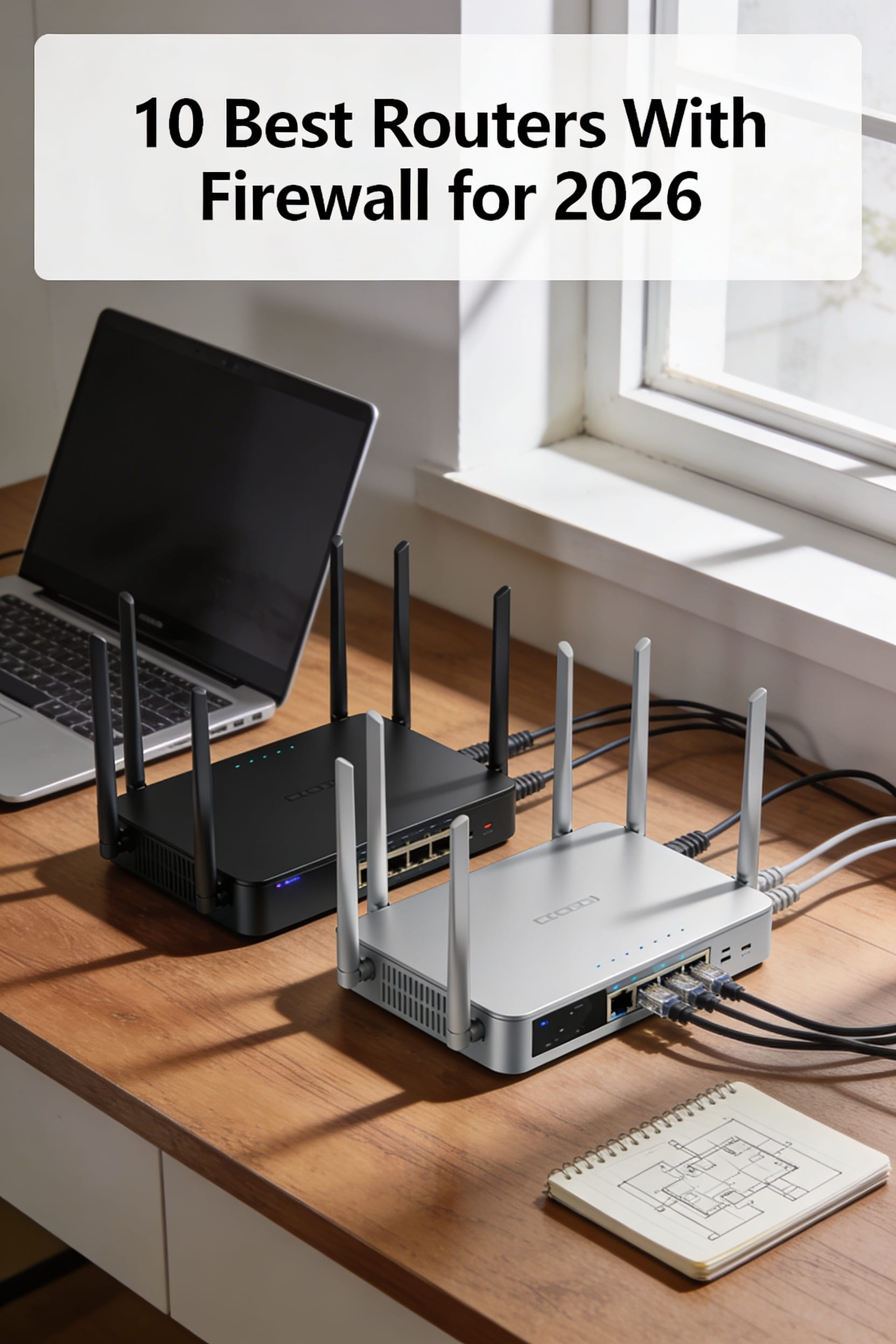
10 Best Routers with Firewall for 2026

You settle onto the couch, press play, and watch the loading bar crawl as your favorite series stutters at the climax. The frustration of a choppy stream while everyone else is watching in high‑definition feels like a personal failure.
The difference between a router that merely connects devices and one that protects your entire home network lies in its firewall strength, QoS handling, and firmware reliability—yet many buyers focus only on Wi‑Fi speed, ignore port diversity, or trust default security settings.
This guide lists ten routers with built‑in firewalls for 2026, chosen based on performance benchmarks, security features, and multi‑WAN support.
By the end you’ll know which model fits your bandwidth needs, security priorities, and device ecosystem.
Key Takeaways
If you need rock‑solid security without sacrificing speed, look for a router that packs dedicated hardware‑accelerated IPS/IDS like the FortiGate‑40F or SonicWall TZ270. Those chips keep throughput steady even when deep‑packet inspection is on. You’ll notice the difference during heavy streaming or gaming sessions.
For anyone who wants future‑proof bandwidth and low‑latency gaming, choose a model with multi‑gigabit Ethernet (2.5 GbE or 10 GbE) and Wi‑Fi 7, such as the ASUS ROG Rapture GT‑BE98 PRO. The fast wired ports let you hook up a console or a PC without bottlenecks, while the newest Wi‑Fi standard gives you smooth, lag‑free wireless performance. Enjoy the speed without constant lag.
What makes this router type stand out is easy VPN support. Look for devices that handle OpenVPN, WireGuard, and IPsec with AES‑NI crypto acceleration, so your remote work sessions stay secure and fast. This is essential if you regularly access home resources from coffee shops or while traveling. Keep your data safe on the go.
You get silent operation and easy deployment without noisy fans when you pick a fanless, low‑power design like the Glovary Mini PC N150 or Netgate 1100. These units blend into a home office or small‑business environment without drawing attention. They’re perfect for rooms where you need a quiet setup.
Perfect for tech‑savvy users who love flexibility, the Cisco Meraki MX100 offers cloud‑managed control, while the Netgate running pfSense+ gives you local management with regular firmware updates and threat‑intel feeds. This means you can choose the management style that fits your comfort level and keep the router protected against new threats. Stay ahead of security risks.
| Netgate 1100 pfSense+ Security Gateway Router Firewall |  | Best Value | Form Factor: Compact desktop appliance | Number of Ethernet Ports: 3 × 1 GbE | VPN Support: Built‑in VPN (pfSense+) | VIEW LATEST PRICE | Read Our Analysis |
| D-Link Guardian 600 PoE Multi-Gig Business Router (DBR-600-P) | Small Business Pro | Form Factor: Small business router | Number of Ethernet Ports: 8 × 2.5 GbE + PoE+ | VPN Support: Built‑in VPN | VIEW LATEST PRICE | Read Our Analysis | |
| FortiGate-40F Firewall Appliance with 5 RJ45 Ports (FG-40F) |  | Enterprise Ready | Form Factor: Fanless desktop appliance | Number of Ethernet Ports: 5 × 1 GbE | VPN Support: Integrated VPN (FortiOS) | VIEW LATEST PRICE | Read Our Analysis |
| ASUS ExpertWiFi EBG15 Gigabit VPN Router with 3 WAN Ports |  | Multi‑WAN Master | Form Factor: Desktop router | Number of Ethernet Ports: 3 × 1 GbE + 1 × USB WAN | VPN Support: VPN router capabilities | VIEW LATEST PRICE | Read Our Analysis |
| Alta Labs Route10 10Gb Multi-WAN VPN Router |  | High‑Speed Specialist | Form Factor: Rack‑mountable box | Number of Ethernet Ports: 6 × Ethernet (4 × 2.5 GbE + 2 × 10 GbE SFP+) | VPN Support: IPsec + WireGuard | VIEW LATEST PRICE | Read Our Analysis |
| SonicWall TZ270 Gen7 Firewall – 2 Gbps 750 Mbps Threat Prevention 64 VLANs SD‑WAN |  | Threat‑Focused | Form Factor: Compact SMB appliance | Number of Ethernet Ports: 8 × 1 GbE | VPN Support: Site‑to‑site VPN | VIEW LATEST PRICE | Read Our Analysis |
| Firewalla Cyber Security Firewall for Home & Business (Purple SE) |  | Home‑Friendly | Form Factor: Small box appliance | Number of Ethernet Ports: 1 × 100 Mbps LAN | VPN Support: OpenVPN server + client | VIEW LATEST PRICE | Read Our Analysis |
| Firewall Mini PC N150 8GB DDR5 128GB NVMe 6×2.5GbE LAN Fanless Type‑C TF Slot | Power‑Packed | Form Factor: Mini PC chassis | Number of Ethernet Ports: 6 × 2.5 GbE | VPN Support: Supports VPN via OPNsense/RouterOS | VIEW LATEST PRICE | Read Our Analysis | |
| ASUS ROG Rapture GT-BE98 PRO Gaming Router |  | Gaming Elite | Form Factor: Gaming router tower | Number of Ethernet Ports: 7 × Ethernet (2 × 10 GbE + 4 × 2.5 GbE + 1 × GigE) | VPN Support: VPN support | VIEW LATEST PRICE | Read Our Analysis |
| Cisco Meraki MX100 Security Appliance (Renewed) |  | Cloud‑Managed | Form Factor: 1U rack‑mountable | Number of Ethernet Ports: 8 × 1 GbE | VPN Support: VPN functionality (Cisco IOS) | VIEW LATEST PRICE | Read Our Analysis |
More Details on Our Top Picks
Netgate 1100 pfSense+ Security Gateway Router Firewall
If you’re tired of a Wi‑Fi that drops the moment you need it, the Netgate 1100 gives you solid protection without draining your budget. You’ll love its compact white box, about the size of a paperback, and the silent, low‑power operation that won’t hog your desk space.
For anyone who wants a reliable home firewall, the dual‑core ARM Cortex‑A53 at 1.2 GHz and 1 GB RAM keep near‑gigabit routing smooth and the 650 Mbps firewall throughput effortless. You get three 1 GbE ports for WAN, LAN, and an optional segment, letting you split traffic like a kitchen sink with separate taps.
What makes this security gateway stand out is the pfSense+ software updates that come for life and 24/7 TAC Lite support, like a friendly neighbor who never sleeps. The one‑year hardware warranty covers repairs, and the included USB console cable lets you set it up quickly.
You get a sturdy lock for your AI workloads or home devices without a high price tag. The 12 V power draw is as low as a night‑light, so it stays quiet and energy‑efficient.
Perfect for a tech‑savvy homeowner, this gateway feels like a strong lock on your front door—simple, reliable, and surprisingly affordable.
- Form Factor:Compact desktop appliance
- Number of Ethernet Ports:3 × 1 GbE
- VPN Support:Built‑in VPN (pfSense+)
- Security Features:Stateful firewall, IDS/IPS via pfSense+
- Power Supply Voltage:12 V DC
- Warranty Length:1 year hardware warranty
- Additional Feature:ARM Cortex‑A53 CPU
- Additional Feature:Near‑gigabit routing
- Additional Feature:Lifetime pfSense+ updates
D-Link Guardian 600 PoE Multi-Gig Business Router (DBR-600-P)
If you run a café and need reliable Wi‑Fi for POS terminals, the eight 2.5 GbE PoE+ LAN ports give each device its own power‑boosted lane. Each port can supply up to 30 W, and the router can deliver a total of 123 W, so you won’t have to hunt for extra adapters. The built‑in SPI firewall and WPA3 encryption keep your network safe from intruders.
For anyone who worries about internet outages, the dual‑WAN failover automatically switches to the backup line when the primary drops. You’ll stay online without manual intervention. The router also includes a VPN server, so remote staff can connect securely.
What makes this multi‑gig router stand out is its ability to handle high‑definition video streams without lag. The 2.5 GbE ports clear the bottleneck that typical 1 GbE routers create. You’ll notice smoother video calls and quicker file transfers.
You get a tiny, 1.64‑lb device that fits on a shelf like a coffee mug. It’s white, compact, and ready to plug in. No IT team is required; the interface is designed for plug‑and‑play simplicity.
The Guardian 600 lets you manage up to ten Wi‑Fi 6 APs from one dashboard, and you don’t need a subscription. This central control saves you time and money. It’s a modest‑priced security guard for your business.
Perfect for small clinics, this router delivers strong protection while staying easy to configure. Just remember real‑world speeds depend on your ISP and cabling. The device isn’t hack‑proof, but it offers solid, enterprise‑grade security for everyday use.
- Form Factor:Small business router
- Number of Ethernet Ports:8 × 2.5 GbE + PoE+
- VPN Support:Built‑in VPN
- Security Features:SPI firewall, WPA3, built‑in VPN
- Power Supply Voltage:120 V AC
- Warranty Length:Manufacturer warranty (duration not specified)
- Additional Feature:Eight 2.5 GbE PoE+ ports
- Additional Feature:Multi‑WAN failover
- Additional Feature:Centralized AP management
FortiGate-40F Firewall Appliance with 5 RJ45 Ports (FG-40F)
If you need a quiet firewall that won’t clutter your desk, the FortiGate‑40F fits on a small shelf and runs without any fans. Its five RJ45 ports give you one WAN connection and four LAN links, so you can hook up a router, a few PCs, and a switch without extra hardware. You’ll see your uploads speed up because it handles up to 1 Gbps IPS throughput, which is fast enough for most small‑to‑mid‑business traffic.
For anyone who worries about security, the device runs FortiOS with AI‑powered FortiGuard Labs, delivering strong threat detection that blocks malware and ransomware before they reach your network. The zero‑touch integration with Fortinet Security Fabric means you just plug it in, click a button, and you’re protected. No complicated setup—just a few clicks and you’re ready.
What makes this firewall stand out is its compact, fan‑less design that stays silent even under load. The 600 Mbps upstream ceiling may feel modest on a very busy day, but it comfortably handles typical office workloads. You’ll appreciate the intuitive console and clear documentation, which make configuration feel like assembling a simple piece of furniture.
You get reliable, low‑profile protection without sacrificing performance. The device’s tiny footprint and quiet operation make it perfect for a small office or a home‑based business. It’s a solid, no‑frills choice that keeps your network safe and your desk tidy.
- Form Factor:Fanless desktop appliance
- Number of Ethernet Ports:5 × 1 GbE
- VPN Support:Integrated VPN (FortiOS)
- Security Features:IPS/Threat protection, FortiGuard AI
- Power Supply Voltage:220 V AC
- Warranty Length:Limited warranty (duration not specified)
- Additional Feature:FortiOS AI‑powered threat intel
- Additional Feature:Zero‑Touch Security Fabric integration
- Additional Feature:Fanless desktop design
ASUS ExpertWiFi EBG15 Gigabit VPN Router with 3 WAN Ports
If you run a small office that depends on reliable internet, juggling three feeds can be a headache. The ASUS ExpertWiFi EBG15 lets you plug one dedicated gigabit line and add two more for load‑balancing, so a sudden spike won’t choke your video calls or gaming sessions. You also get a USB hotspot slot for a backup connection, like keeping a spare tire handy.
For anyone who worries about security, the AiProtection Pro firewall watches your network 24/7 and the layer‑7 filter blocks unwanted apps. You can set it up from a mobile app or a web browser, and the single internal antenna keeps the workspace tidy. The router isn’t a smart‑home hub, but it’s a solid, no‑nonsense workhorse for a small business.
What makes this multi‑WAN router stand out is its ability to spread traffic across three ports, delivering up to 1000 Mbps when conditions are right. You’ll notice smoother gaming and clearer video calls even when the internet is busy. The gigabit ports promise fast speeds, though walls and traffic can affect real‑world performance.
You get strong protection without sacrificing speed, thanks to the built‑in firewall and traffic‑shaping features. The device is easy to manage, and the compact design fits neatly on a desk. It’s a practical solution for anyone who needs reliable, high‑speed connectivity.
- Form Factor:Desktop router
- Number of Ethernet Ports:3 × 1 GbE + 1 × USB WAN
- VPN Support:VPN router capabilities
- Security Features:AiProtection Pro, IPS/DPI
- Power Supply Voltage:120 V AC
- Warranty Length:3 years
- Additional Feature:AiProtection Pro free subscription
- Additional Feature:USB backup WAN port
- Additional Feature:Internal single antenna
Alta Labs Route10 10Gb Multi-WAN VPN Router
If you need a router that can handle gigabit traffic without choking, the Alta Labs Route10 delivers the speed you crave. Its two 10 Gbps SFP+ ports and four 2.5 Gbps Ethernet jacks give you plenty of lanes for high‑throughput devices. You’ll appreciate the Qualcomm quad‑core accelerator that keeps VPNs like IPsec and WireGuard running smoothly. The PoE+ ports supply up to 40 W, so you can power a switch or a camera directly from the router. You can watch real‑time stats in the Alta Labs app and configure VLANs, NAT, and QoS with just a few taps. It’s a wired‑only solution, so you’ll still need separate Wi‑Fi access points, but that trade‑off buys you solid security and reliability. Multi‑WAN failover and load balancing keep your internet flowing even if one link drops. A two‑year warranty backs the device, and the white, 1.5‑pound chassis mounts easily on a wall. Perfect for small businesses or power users at home, this router gives you enterprise‑grade performance without the enterprise price tag.
- Form Factor:Rack‑mountable box
- Number of Ethernet Ports:6 × Ethernet (4 × 2.5 GbE + 2 × 10 GbE SFP+)
- VPN Support:IPsec + WireGuard
- Security Features:Firewall rules, VPN, QoS
- Power Supply Voltage:24 V DC
- Warranty Length:2 years limited
- Additional Feature:Dual 10 GbE SFP+ ports
- Additional Feature:40 W PoE+ output on select ports
- Additional Feature:WireGuard VPN support
SonicWall TZ270 Gen7 Firewall – 2 Gbps 750 Mbps Threat Prevention 64 VLANs SD‑WAN
If you need a firewall that won’t choke your internet while you’re streaming video calls, the 2 Gbps engine gives you plenty of headroom for everyday traffic. It handles uploads and downloads smoothly, so you won’t notice any lag.
For anyone who worries about ransomware, the 750 Mbps threat‑prevention engine stops malware before it reaches your devices. You’ll feel safer without having to become a security expert.
What makes this firewall stand out is the ability to carve your network into 64 VLANs, giving you simple segmentation for guests, IoT, and office work. You can set them up without a PhD, and the result is a tidy, organized network.
You get SD‑WAN and site‑to‑site VPN without sacrificing speed, so remote offices stay connected. The eight Gigabit Ethernet ports keep all your wired devices running fast.
The SonicWall TZ270 Gen7 solves the hassle of manual updates by pushing patches automatically, so you spend less time on maintenance. You’ll appreciate the peace of mind that comes with automatic security.
Perfect for small offices, this 0.82 kg box fits on a shelf and still delivers enterprise‑grade security. You won’t have to explain why your Wi‑Fi is slow any longer.
- Form Factor:Compact SMB appliance
- Number of Ethernet Ports:8 × 1 GbE
- VPN Support:Site‑to‑site VPN
- Security Features:RFDPI, TLS 1.3 decryption, ATP sandbox
- Power Supply Voltage:220 V AC
- Warranty Length:1 year
- Additional Feature:Reassembly‑Free Deep Packet Inspection
- Additional Feature:Built‑in SD‑WAN
- Additional Feature:64 VLAN support
Firewalla Cyber Security Firewall for Home & Business (Purple SE)
If you’re tired of smart devices choking your network, the Purple SE steps in as a silent traffic cop for every gadget in your home. It runs Linux under the hood and delivers 500 Mbps IPS throughput, so a streaming smart fridge won’t stall your video calls. No monthly fee keeps the cost low.
For anyone who wants a secure connection on the go, the built‑in OpenVPN server lets you browse public Wi‑Fi without fearing data theft. You also get WPA2‑PSK encryption and ad blocking that keep your browsing clean and private. Parental controls let you mute gaming or social sites with a tap. The Wi‑Fi 5 dual‑band antenna isn’t a 5G tower, but it comfortably covers a typical house. A 30‑day return guarantee adds peace of mind. Perfect for non‑tech‑savvy users, the app guides you through setup like a recipe. You’ll still need your existing router or a modem in router mode, but the device works right out of the box. You get strong protection without a hefty price tag.
- Form Factor:Small box appliance
- Number of Ethernet Ports:1 × 100 Mbps LAN
- VPN Support:OpenVPN server + client
- Security Features:IDS/IPS, ad‑blocking, high‑level firewall
- Power Supply Voltage:120 V AC
- Warranty Length:Warranty (duration not specified)
- Additional Feature:OpenVPN server/client
- Additional Feature:3 GB RAM, 500 Mbps IPS throughput
- Additional Feature:Wi‑Fi 5 dual‑band internal antenna
Firewall Mini PC N150 8GB DDR5 128GB NVMe 6×2.5GbE LAN Fanless Type‑C TF Slot
If you need a compact firewall that stays cool and quiet, the Glovary N150 delivers six 2.5 GbE ports so every device on your network gets fast, reliable connections.
For anyone who worries about overheating, the 12th‑gen Intel Twin Lake CPU runs up to 3.6 GHz while sipping only 6 W, keeping the box fanless and whisper‑quiet.
You get 8 GB DDR5 RAM and a 128 GB NVMe drive for snappy rule updates and quick boots, plus an extra M.2 slot for future storage.
What makes this mini PC stand out is the Type‑C port that also serves as video output, letting you plug in a monitor for a quick check.
The lightweight aluminum chassis fits on a shelf at just 1.2 kg, and the TF card slot offers a handy backup boot option.
You can run OPNsense, OpenWrt, or RouterOS, so you’re not locked into a single ecosystem.
Perfect for home offices, this device gives you powerful network protection without the noise of a fan.
The package includes a power adapter, SATA cable, and even a fan cable if you ever want to add extra cooling.
It’s a reliable neighbor for your Wi‑Fi traffic, never complaining and always ready.
- Form Factor:Mini PC chassis
- Number of Ethernet Ports:6 × 2.5 GbE
- VPN Support:Supports VPN via OPNsense/RouterOS
- Security Features:Firewall via OPNsense/RouterOS, AES‑NI
- Power Supply Voltage:12 V DC (Type‑A)
- Warranty Length:Standard retailer warranty (unspecified)
- Additional Feature:6 × 2.5 GbE LAN ports
- Additional Feature:8 GB DDR5 RAM
- Additional Feature:Fanless aluminum chassis
ASUS ROG Rapture GT-BE98 PRO Gaming Router
If you’re tired of lag spikes ruining your raids, the GT‑BE98 PRO’s gaming‑grade firewall slashes latency so you stay in the action. You’ll see Wi‑Fi 7 on four bands, including two 6 GHz slices, and 320 MHz channels that feel like a highway for your packets. The eight fixed dual‑feeding antennas spread signal like a lighthouse across your living room.
For anyone who wants a smooth wired experience, the router offers dual 10 G and four 2.5 G Ethernet ports, so consoles run faster than a buttered otter. Triple‑level Game Acceleration prioritizes traffic from the PC port to the game server, and Mobile Game Mode trims background chatter. You can control everything via the app, web GUI, or a push button—no subscription needed, and WPA3 keeps the firewall tight.
What makes this gaming router stand out is its mesh‑compatible AiMesh, which fills dead zones without extra hardware. With 2 GB RAM it handles updates without coughing, weighing only 4.4 lb and fitting a 13.7 × 8.6 × 13.7‑in space. It comes with a three‑year warranty, and you’ll love the speed even though exact throughput can vary with walls and interference.
- Form Factor:Gaming router tower
- Number of Ethernet Ports:7 × Ethernet (2 × 10 GbE + 4 × 2.5 GbE + 1 × GigE)
- VPN Support:VPN support
- Security Features:Triple‑level game acceleration, firewall, WPA3
- Power Supply Voltage:110 V AC
- Warranty Length:3 years
- Additional Feature:Wi‑Fi 7 320 MHz channels
- Additional Feature:Dual 10 GbE Ethernet ports
- Additional Feature:8 external dual‑feeding antennas
Cisco Meraki MX100 Security Appliance (Renewed)
If you need a simple way to protect a small office network, the MX100’s cloud‑managed firewall does the heavy lifting for you. You’ll love how the 1U rack‑mount fits neatly into a server closet, keeping things tidy. It runs Cisco IOS, so the familiar command‑line feels at home, but the web dashboard is as easy as a thermostat.
For anyone who wants fast internet without constantly tweaking settings, the 8 Gbps upstream rate handles typical office bursts with ease. Each LAN port delivers 1 Gbps, giving every workstation a dedicated lane. The single‑band Wi‑Fi 5 is modest, yet sufficient for a firewall appliance.
You get a 90‑day limited warranty with the renewed unit, giving you a safety net. GigE ports clear bottlenecks, so you won’t notice dead zones. No built‑in modem, but you can set up WPS in seconds—just plug in and flip a switch.
What makes this firewall stand out is its straightforward, cloud‑controlled security layer. It’s perfect for a small office that needs reliable protection without a steep learning curve. The MX100 is a practical, budget‑friendly pick that gets the job done.
- Form Factor:1U rack‑mountable
- Number of Ethernet Ports:8 × 1 GbE
- VPN Support:VPN functionality (Cisco IOS)
- Security Features:Firewall, IPS, WPS
- Power Supply Voltage:120 V AC (standard)
- Warranty Length:90 days limited (renewed)
- Additional Feature:1U rack‑mountable form factor
- Additional Feature:90‑day limited warranty
- Additional Feature:Wi‑Fi 5 built‑in support
Factors to Consider When Choosing a Router With Firewall
If you’re juggling multiple devices that stream video, game, or work from home, you’ll notice how a router’s lane count feels like a highway for your data—more lanes keep everything moving smoothly. For anyone who cares about security, the feature set matters: look for a firewall that can block unwanted traffic and a simple interface that won’t make you feel like you’re programming a VCR. You get strong protection without a bulky box, so your closet stays tidy and your network stays fast. What makes this router stand out is its mix of easy‑to‑use ports and a compact design that fits in tight spaces. Perfect for a home office, this device lets you set up your network in minutes and keep the traffic flowing. The management dashboard is intuitive, so you won’t waste time hunting through menus. It’s a practical choice for anyone who wants reliable performance without fuss.
Throughput Capacity
If you’re streaming video while gaming, you’ll notice the router stalls even with a strong Wi‑Fi signal. That’s usually the packet‑forwarding rate hitting its limit, measured in Mbps or Gbps. Look for separate ratings for raw routing, VPN (IPsec/WireGuard), and security features like IPS/IDS or TLS inspection, because deep packet inspection can halve the effective speed.
For anyone who runs a home office, you need realistic, measured throughputs, not just peak numbers, and you should match them against your internet link and peak internal traffic. Also check concurrent connection capacity and session rates; a high‑bandwidth device that can’t handle many small flows will still choke. Add 25‑50 % headroom for firmware updates, growth, and occasional bursts.
What makes this router stand out is its ability to keep your network flowing smoothly under load. You get strong performance without sacrificing security checks. In short, choose a model that balances raw speed, VPN throughput, and inspection capabilities.
Security Feature Set
If you’ve ever tried to stream a 4K movie while a video call drops, you’ll notice the router’s security checks can feel like a traffic jam at rush hour. For anyone who wants smooth streaming, start by checking deep packet inspection (DPI) and intrusion prevention (IPS) ratings—look for Mbps or Gbps numbers so you can match inspection capacity to your traffic. What makes this router stand out is the ability to handle encrypted traffic without chewing up your CPU, so TLS/SSL inspection performance metrics matter. You get strong multi‑layer protection—stateful, Layer 7 filtering, anti‑malware, URL‑filtering—without slowing down your network. The built‑in VPNs (IPsec, WireGuard, OpenVPN) support multiple concurrent tunnels and include AES‑NI crypto acceleration. Centralized management, logging, and automated updates keep you safe and audit‑ready. This setup is perfect for home offices that need reliable, fast security.
Port and Connectivity Options
If you’re juggling a home office, streaming 4K movies, and keeping a few smart gadgets online, you’ll quickly feel the pain of a router that can’t keep up. You need enough gigabit Ethernet ports for your wired devices, and a couple of faster 2.5 GbE or 10 GbE ports if you’re pulling high‑bandwidth streams.
For anyone who wants a safety net, dual‑WAN or multi‑WAN slots let you add a second internet line for backup or load‑balancing. SFP or SFP+ optics give you the option to hook up fiber without swapping the whole unit.
What makes this router stand out is its built‑in PoE ports, which power cameras and Wi‑Fi access points without extra adapters. Just watch the wattage per port so you don’t overload them.
You get out‑of‑band management through a USB or serial console, keeping firmware updates and troubleshooting painless. A few extra LAN ports and VLAN support let you isolate guests, IoT devices, or a DMZ without buying a separate switch.
Perfect for tech‑savvy homeowners, this router balances speed, flexibility, and price—so you aren’t paying for unused performance.
Management Interface Simplicity
If you’re tired of wrestling with a clunky command line that feels like assembling IKEA furniture without a manual, a clean web GUI and companion mobile app will save you time. You can add firewall rules, set up port forwarding, or launch a VPN in minutes—no CLI required. Role‑based access and audit logs let you hand off admin duties without losing track of changes.
For anyone who worries about misconfiguration, searchable rule sets and visual ordering keep things tidy, just like a well‑labeled toolbox. The UI offers one‑click backups, versioned firmware upgrades, and instant rollbacks, acting as a safety net for your settings.
What makes this router stand out is its guided wizards and templated policies for guests, IoT devices, and VPNs, which speed up secure baselines and cut human error. You get a friendly neighbor‑like experience instead of a cryptic professor.
You get role‑based access without sacrificing simplicity. The interface feels intuitive, so daily management becomes a breeze.
Power and Form Factor
If you’re trying to squeeze a server onto a kitchen counter, a bulky rack‑mount just won’t work. A compact fanless mini‑PC stays cool even when you stream movies or run a home office. Pick the right size early, and you’ll avoid overheating headaches.
For anyone who needs a quiet workspace, a noisy fan can feel like a blender in a quiet room. Low‑power, fanless designs keep the peace at home while still handling everyday traffic. They’re perfect for a bedroom or a small office.
What makes this rack‑mount solution stand out is its flexibility. You can mount a 1U unit in a closet for a tidy setup, or use a desktop‑sized box on a desk if you prefer. The form factor matches your space, so you never have to compromise on placement.
You get reliable power without sacrificing convenience. Check the voltage—12 V DC, 24 V DC, or standard AC—and decide if PoE or an internal supply fits your deployment. This helps you keep the device running smoothly.
The compact mini‑PC solves overheating by using a fanless design that runs silently. It’s ideal for a coffee shop or a branch office where noise matters. You’ll appreciate the calm environment.
Perfect for a tech‑savvy homeowner, this device offers UPS compatibility and hot‑swap power options for redundancy. If you’re stacking appliances in a rack, you’ll enjoy easy backup and smoother scaling.
You get energy efficiency without hidden costs. Estimate ongoing power use before you lock in a model, and you’ll avoid surprise bills later. This keeps your budget in check.
Warranty and Support Terms
If you’re worried about a router that quits on you when the firewall needs fixing, the warranty length matters. A one‑year repair plan, a two‑year limited option, or a 90‑day renewed guarantee each tell you how long defects are covered and whether you’ll get a repair, a replacement, or a depot return. Check if the manufacturer offers lifetime software updates and security patches; they keep the firewall fresh without extra cost. Limited‑term or subscription‑based patches may bite into your budget later.
For anyone who needs help after hours, look at the technical support options. 24/7 TAC, business‑hour help, or just an online forum can make a big difference when you’re troubleshooting. Ask whether setup assistance and troubleshooting are free, because hidden fees can turn a smooth setup into a hassle.
What makes this router stand out is the tiered support structure. Basic support may be enough for casual home use, but premium tiers often include advanced threat signatures and sandboxing that require separate licenses. Compare the cost of each tier to what you actually need.
You get peace of mind without guessing about returns and repairs. Understand the logistics: advance replacement, RMA steps, shipping fees, and whether a signature is required. Knowing these details prevents you from ending up with a dead‑end router.
Frequently Asked Questions
Can I Use These Routers With Isp‑Provided Fiber Modems?
You can hook those routers to ISP‑provided fiber modems, but you’ll need to set the modem to bridge mode so the router does the routing and firewall work. I’m sure you’ve noticed the occasional double‑NAT slowdown when both devices try to translate addresses. All right, check the modem’s admin page, disable its router function, then connect the router’s WAN port to the fiber outlet. Now you’ll get the full firewall protection without extra latency. I mean, it’s like swapping a kitchen sink for a dishwasher—both handle water, but one does the heavy lifting.
Do Any of These Models Support Wpa3‑Enterprise for Guest Networks?
You’ll find a few models that do WPA3‑Enterprise for guest networks, but not all. The Netgear Nighthawk X10 and ASUS RT‑AX86U both support it, and the Synology RT2600ac can be configured for WPA3‑Enterprise on a guest SSID. I’m sure you’ve noticed how guest networks can feel like a leaky faucet—fixing them with strong encryption stops the drip. All right, check each firmware version, because updates sometimes add or remove features. I mean, I’m biased toward ASUS, but I can’t guarantee every unit ships with the latest code. If you need certainty, call the vendor’s support line.
What Is the Typical Power Consumption of Each Firewall Appliance?
You’ll see each firewall appliance pulling anywhere from five to twenty watts, depending on model and load. The entry‑level units hover near five watts—think a night‑stand lamp. Mid‑range gear runs about ten to fifteen watts, like a small toaster. High‑end, multi‑gigabit boxes can hit twenty watts or more, comparable to a kitchen blender. I’m sure you’ve noticed the power draw spikes when heavy traffic floods the ports, but exact numbers vary with firmware and usage. All right, check the spec sheet for the precise figure you need.
Are Firmware Updates for These Devices Free or Subscription‑Based?
You’ll find most firmware updates are free, but some brands lock advanced patches behind a subscription. I’m sure you’ve noticed how a router’s OS feels like a car’s software—basic fixes roll out at no cost, while premium features need a monthly fee. All right, check the vendor’s support page: if they list “standard updates” you’re good; if they mention “premium security suite,” expect a subscription. Now, weigh the cost against the peace of mind.
Can I Enable Dns‑Over‑Https Directly on the Router’s Firewall?
You can enable DNS‑over‑HTTPS (DoH) directly on the router’s firewall if the firmware supports it. I’m sure you’ve noticed how plain DNS feels like shouting across a hallway; DoH encrypts that chatter. All right, check the firewall settings or the DNS section—look for a “DoH” toggle or a custom DNS entry field. Now, if you only see DNS‑over‑TLS, you might need a third‑party firmware like OpenWrt. I mean, not every router’s built‑in firewall can handle DoH out of the box. Obviously, you’ll need a DoH provider URL and maybe a certificate, but the steps are usually three clicks. If you’re unsure, a quick firmware update or a community forum post can clear things up.